
WAYSTONE
Tools for independent navigation.
The Waystone
A marker. A guide.
A reminder of where you are
and the direction you choose.
A reminder of where you are
and the direction you choose.
Our tools help you navigate
information, projects, and ideas
on your own terms.
information, projects, and ideas
on your own terms.
WAYSTONE PRODUCT FAMILY

WAYSTONE
BROWSER
A graphical browser for Linux
to explore the modern web,
Geminispace, Gopherspace &
Spartanspace in one place.
to explore the modern web,
Geminispace, Gopherspace &
Spartanspace in one place.
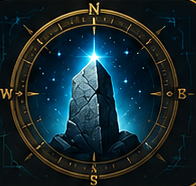
WAYSTONE
HELM
A local-first desktop Project OS
for solo builders. Not a task
manager, not a team tool: a
single-user portfolio system.
for solo builders. Not a task
manager, not a team tool: a
single-user portfolio system.
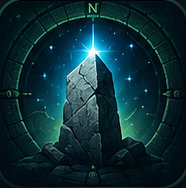
WAYSTONE
SCRIBE
A distraction-free editor for
Markdown, Gemtext, HTML,
Gopher & plain text, with
live, native-format previews.
Markdown, Gemtext, HTML,
Gopher & plain text, with
live, native-format previews.

WAYSTONE
COMM
A communications terminal for
Linux, inspired by ProComm
Plus and focused on real BBS
& remote terminal use.
Linux, inspired by ProComm
Plus and focused on real BBS
& remote terminal use.
WAYSTONE
MARK
MARK

The Waystone.
Our common mark
across every tool.
Our common mark
across every tool.
PRODUCT INFORMATION LINKS
{{ curIconEl }}
{{ curName }}
{{ curSub }}